To point your domain to 2MHost, change its nameservers to ns1.etcnameserver.com and ns2.etcnameserver.com at the website where you registered the domain.
Nameservers tell the internet where your domain lives. Once your domain uses the 2MHost nameservers, your website and your email run on your 2MHost hosting account.
Note: If you bought your domain from 2MHost, you do not need to do anything. We point the domain to your hosting server for you.
Before you begin
- Have the login for your domain registrar ready. The registrar is the company or website where you bought the domain, such as Namecheap, GoDaddy or eNom. If you are not sure which company it is, search your inbox for the domain's registration or renewal email.
2MHost nameservers
Use these two nameservers for any domain you host with 2MHost:
Nameserver 1 | ns1.etcnameserver.com |
Nameserver 2 | ns2.etcnameserver.com |
Use both of them, and remove any other nameservers from the domain.
Change your domain's nameservers at your registrar
Every registrar's website looks a little different, but the steps are the same:
- Log in to your account on your domain registrar's website.
- Open your list of domains and select the domain you want to point to 2MHost.
- Find the nameserver setting. It is usually called Nameservers, DNS or DNS management.
- Choose the option to use custom nameservers, if your registrar asks.
- Delete all the nameservers that are already there.
- Enter
ns1.etcnameserver.comandns2.etcnameserver.com. - Save the changes. The registrar shows the two 2MHost nameservers on the domain.
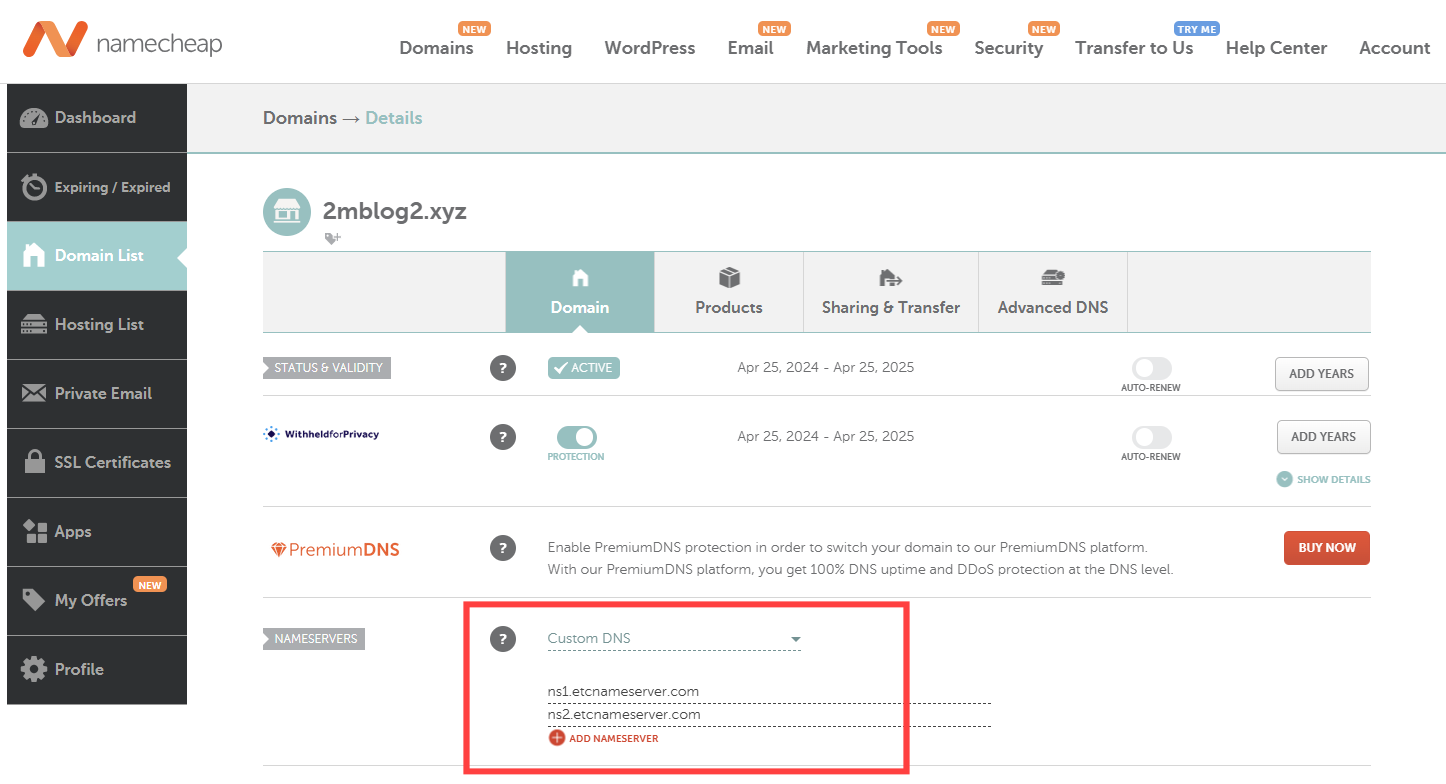
Example: Namecheap
In Namecheap, you change the nameservers in the domain's management page.
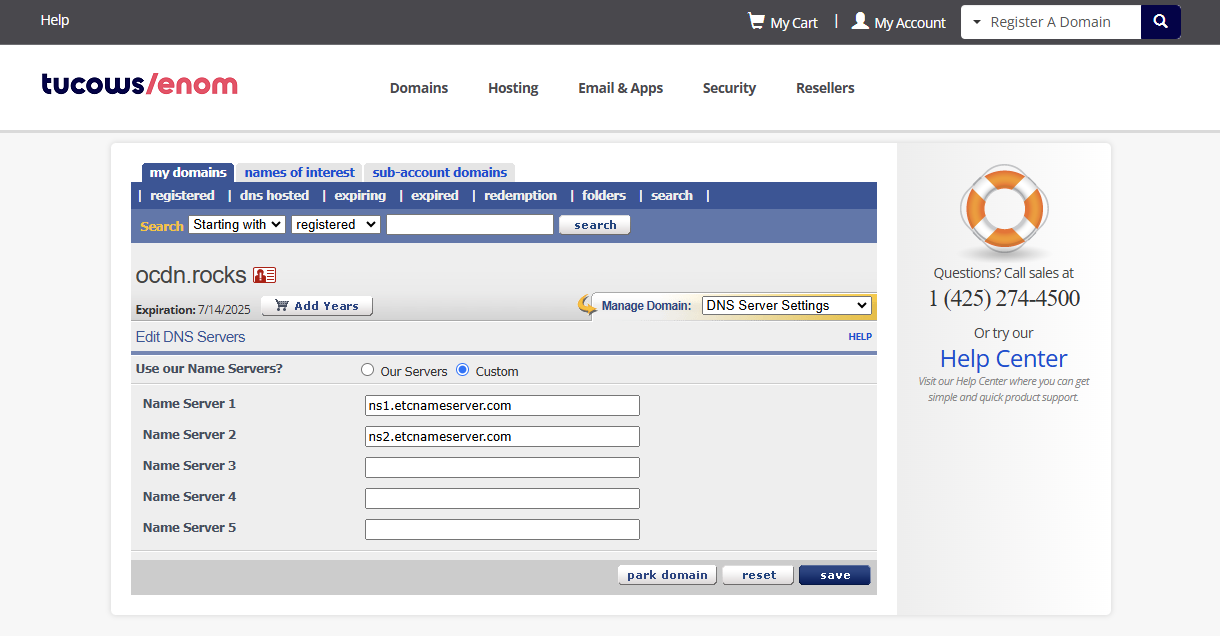
Example: eNom
In eNom, you change the nameservers in the domain's settings.
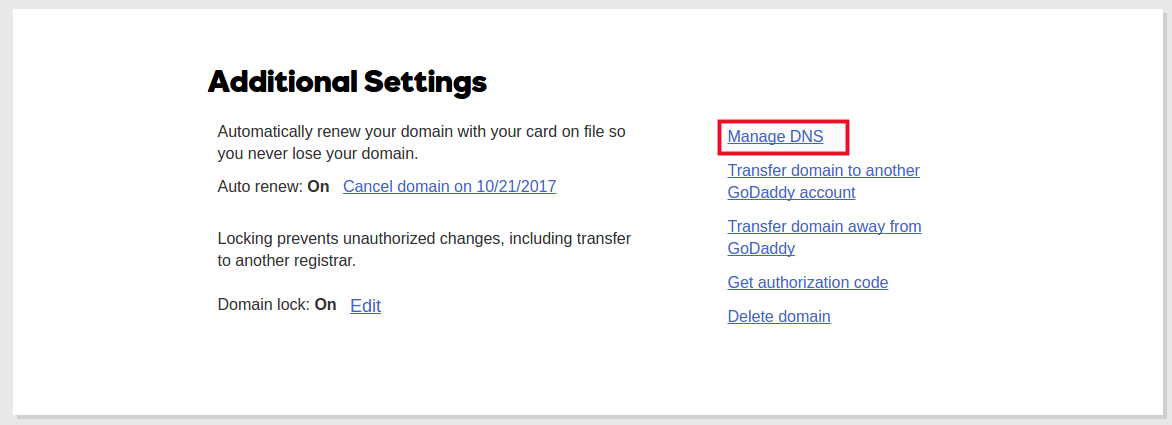
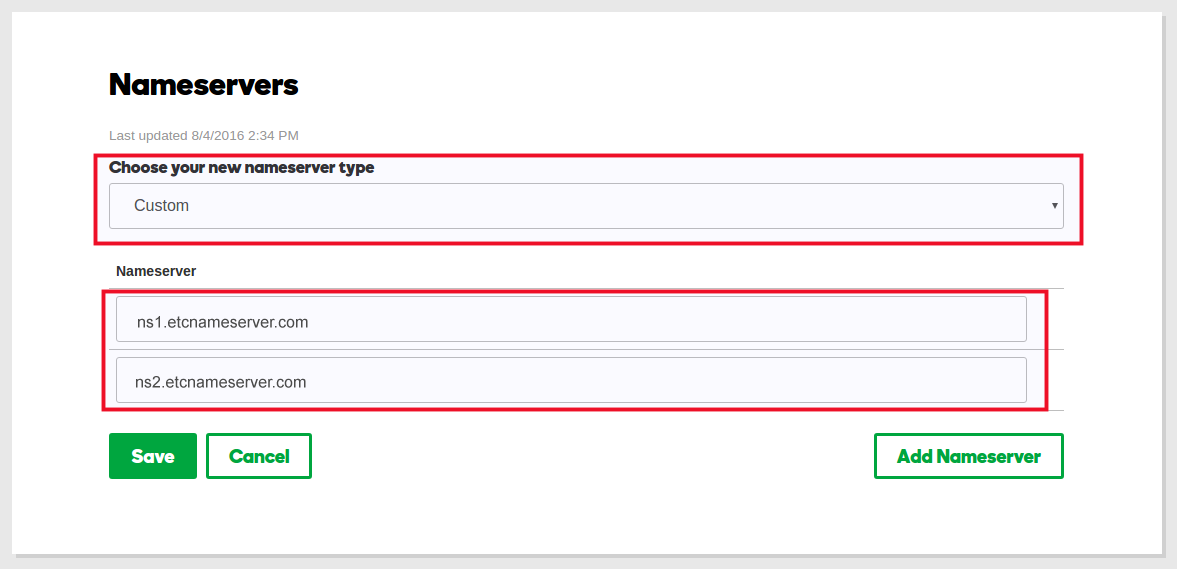
Example: GoDaddy
In GoDaddy, you open the domain's DNS settings and then change its nameservers.
How long does it take for a nameserver change to take effect?
In most cases, the nameserver change takes effect right away. Some internet providers keep the old information longer, up to 48 hours.
Troubleshooting
The website still shows the old site or the registrar's parking page
Your computer or browser still remembers the old address. Clear the DNS cache on your computer, then reload the page. If it still shows the old site, wait a few hours and try again.
The registrar does not accept the nameservers
The nameservers are usually mistyped. Copy them exactly from the table above, with no spaces, no http:// and no dot at the end.
Your domain registration stays with your registrar
Important: Using the 2MHost nameservers does not make 2MHost your domain registrar. Keep renewing the domain with your current registrar, or the domain expires and your website and email stop working.
If you want to manage the domain and the hosting in one place, you can transfer your domain registration to 2MHost. This is optional.